
 Made in China
 Made in Vietnam
 Made in US
 2026 Case List
- Log into your account on our app -> go to Billing -> select Top-up.
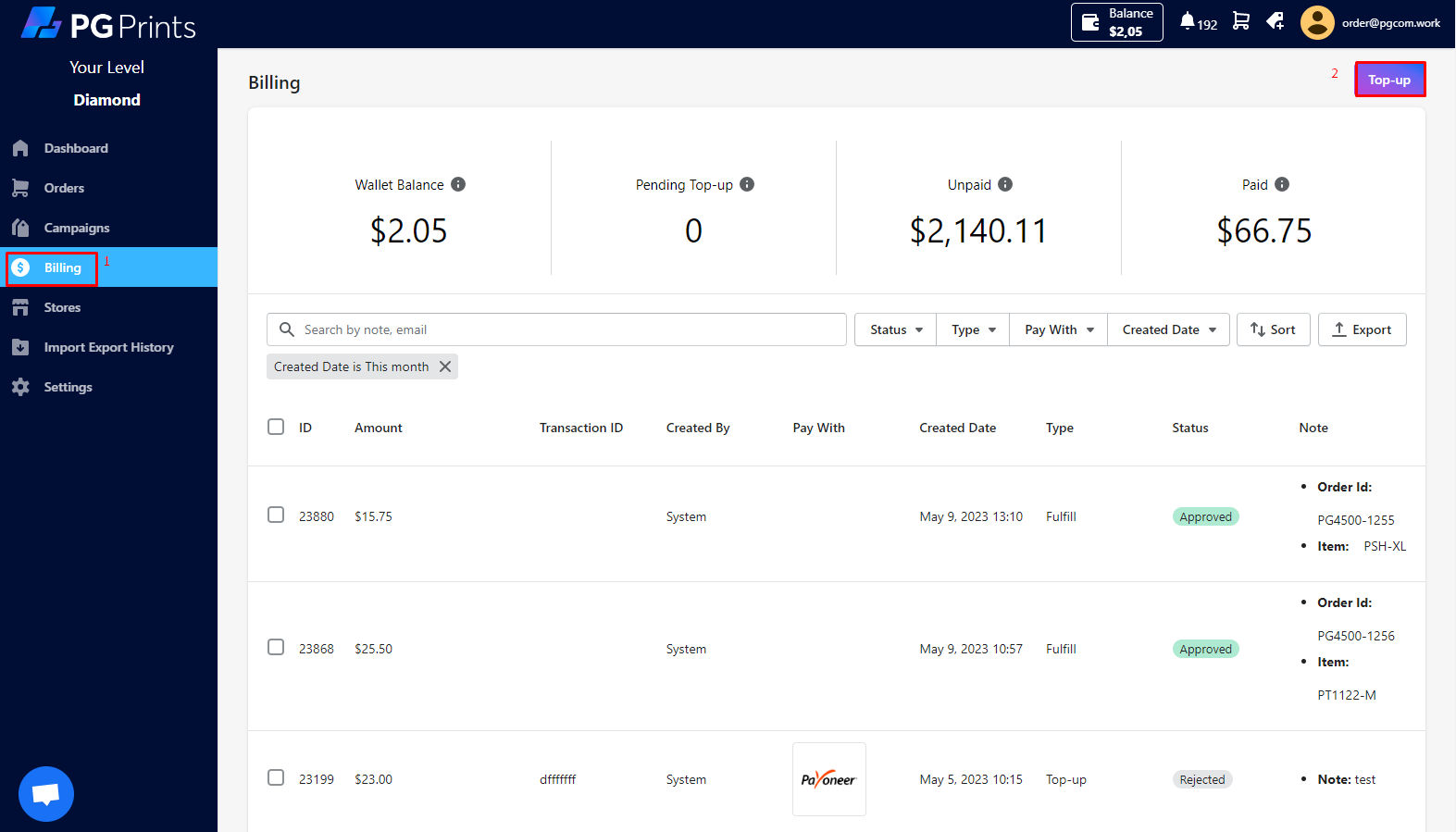
- Fill required information: the top-up amount, transaction ID -> Click to “Submit”
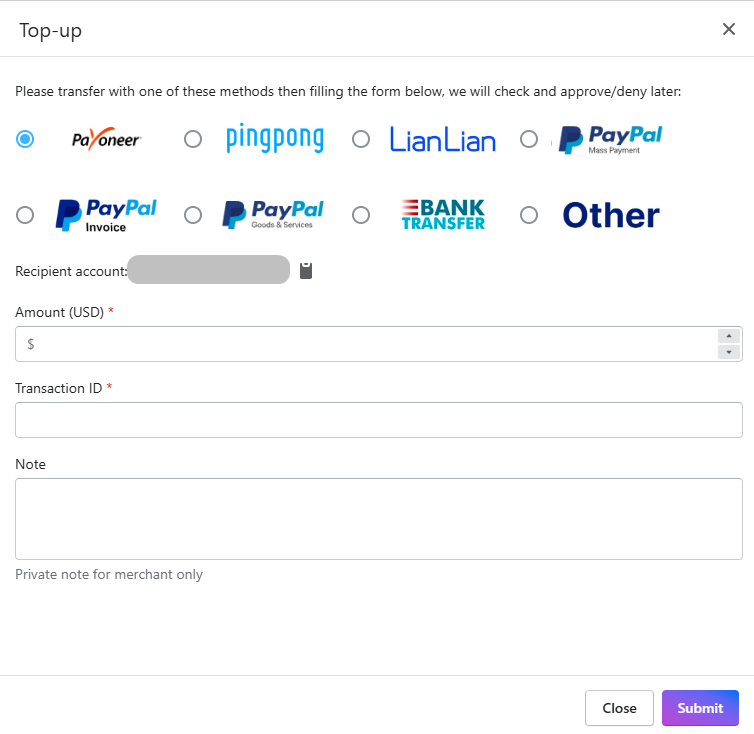
- For Pingpong, Payoneer: Our system auto approves Top-up with correct transaction ID and Money amount filled
- For Paypal Invoice: Seller click Invoice -> fill the required (Amount: fill the number that Seller wants to topup) -> Submit
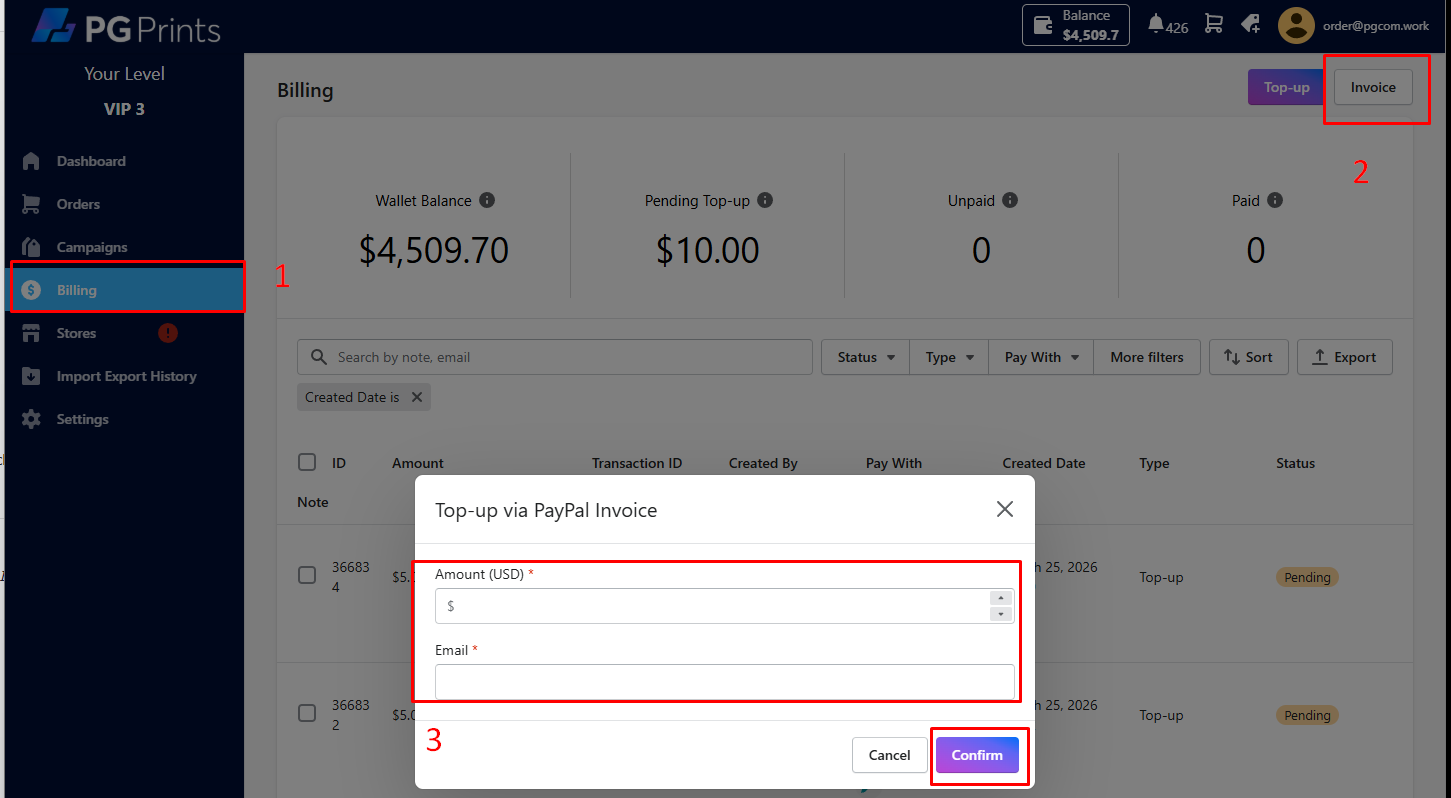
The Topup will apprear as Processing status then. Click the pen icon to Edit the information if needed
 Our Accountant will send an invoice via Paypal (without any notification via PGPrints system/support) and mark the Top-up as Pending status: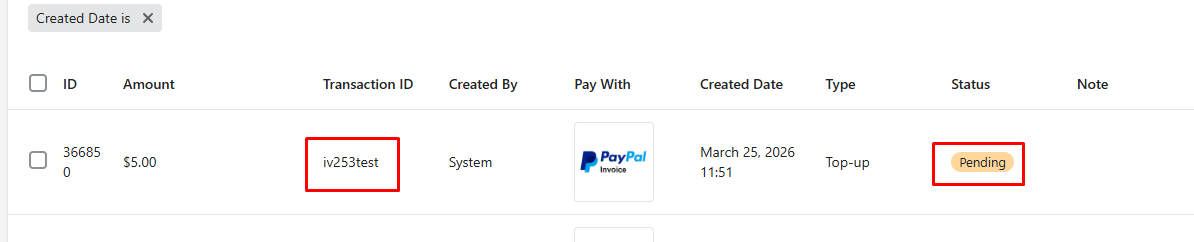
Once Seller pays the whole invoice (not Partial) on paypal with Invoice ID same as PGPrints’ Transaction ID, our system will auto approve the Top-up
- For Other Payment gateway, our accountant will manual review your Top-up and either approve or reject it based on the following criteria:
– The deposited amount must match the actual payment received, as we cannot cover payment gateway fees.
– The transaction ID must be unique and not already associated with another deposit.
=> If your deposit is rejected for either of these reasons, we will notify you promptly and provide further assistance as needed.
=> It’s recommended to make a topup in working hours to make sure it’s handled in the fastest.
- To check the status of billings in your account, navigate to the “Status” section and apply the appropriate filters to view the relevant items.
Here are the possible status updates you may encounter:
– Pending: The top-up amount is currently under review and awaiting approval from PGCom.
– Rejected: The top-up amount has been rejected by PGCom due to incorrect payment amount or transaction ID.
– Approved: The top-up amount has been confirmed by PGCom, and your orders have been successfully charged and fulfilled.
We recommend regularly monitoring your account status to ensure timely and accurate processing of your transactions. - The order will be automatically charged once all of the following conditions have been met:
– Sufficient funds are still available in the account’s balance.
– The order has been uploaded fully with the required print files.
– The cooling-off period has elapsed.
– Orders that have elapsed their cooling-off period earlier will be automatically charged first.
-> If any of these conditions are not met, the order will not be charged until they are fulfilled. Please ensure that all requirements are met to avoid any delays in the processing of your order.
If you want to charge manually, kindly set a longer cooling-off time then “Pay Now” your orders in the time. Learn more
*)NOTE:
– Please note that our accepted payment methods may change periodically. To stay updated on the latest payment options, we recommend checking our website and reaching out to our working group for further information.
– In the event that an order from PGCom is already in production or has been fulfilled, and additional fees are required or the order needs to be cancelled, the supplier and PGCom will discuss the matter in our working group. Once a resolution has been agreed upon, PGCom will process a custom transaction to the supplier to ensure timely and accurate payment.


